
Cellica Database WiFi MS Access,SQLServer form - Get APK
You'll be able to download in few seconds.
Publisher Description
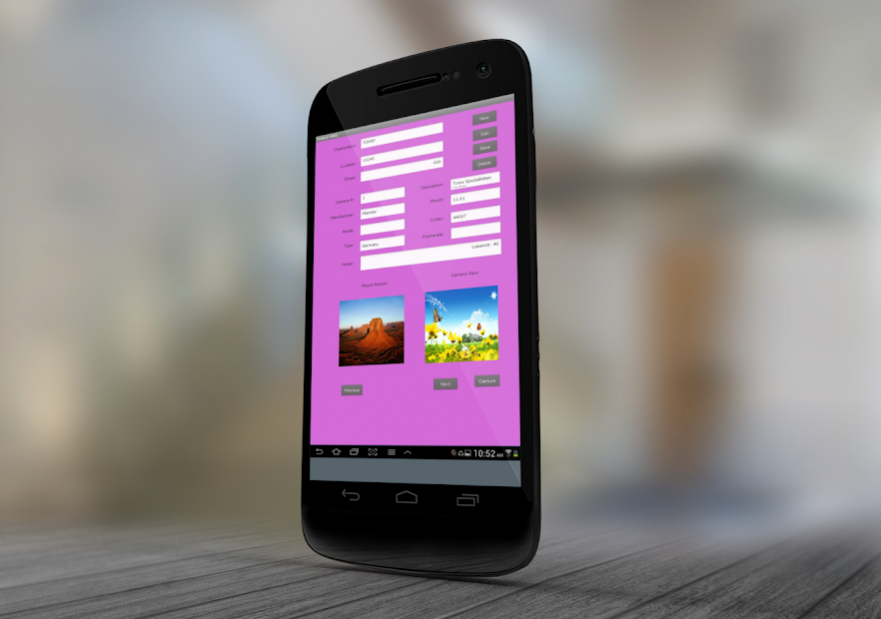
Use MS Access, MS SQL Server, My SQL, Oracle, MS Excel databases on your android.
Carrying the databases from your Server/PC on the SmartPhone is never been so easy.
- With Cellica Database, read & write to any desktop side database Wirelessly with your Android Phone/Tablet(using local WiFi, VPN or USB/WiFi Tethering).
- Synchronize the changes on device and in desktop database, wirelessly and instantly.
- You will always have the most current information at your fingertips.
Download & install desktop software on windows based PC from the following link.
http://www.cellica.com/DownloadforWiFi.html
What our clients says: http://www.cellica.com/Testimonials.html
Features:
• No changes require in existing database design for syncing directly with database, which helps it be the easiest, most user-friendly solution available.
• View and update data on device, which will reflect to Server database immediately while in network.
• Supports offline access to data and Changes will be synchronized later once network is available.
• Synchronize Table/View or Stored Procedure of your database.
• Only the changed data is synchronized in compressed and encrypted format, resulting in reduced wireless data traffic and improves battery life of the devices.
• “Change Detection Logic” searches only updated data in desktop database and device to synchronize it.
• No record or size limit. It depends on space available on device’s internal memory(/SD card).
• Use SQL Select queries, Filters and Sorts to refine specific data set.
• Supported Databases: Microsoft Access(*.mdb,*.accdb)(97 and onwards), Microsoft Excel(*.xls,*.xlsx)(97 & onwards), Oracle, SQLServer, DB2, MySQL, PostgreSQL, FoxPro, dBase, R:BASE,Sybase, FileMaker Pro, Firebird & any ODBC Compliant Relational Database.
• Password protection for Profiles/Forms(SOHO/Enterprise Edition) & Application.
• Make a phone call for the selected field's numeric contents.
• Find and Find again option to search a record.
• Data is secured as 128 bit AES use for Encryption.
• Support Unicode language database such as Japanese/Chinese/German/ Russian etc.
• Transfer data to SD Card or Main memory.
• Supports Multi Record and Single Record View as default views for Database Profile on device.
• Supports Form: Design Custom user interface using simple and easy to use form builder interface.
• Design form on desktop with Label, TextBox, Button, Checkbox, Radio button, Combobox, DateTime, Page, Container, Location and Shape controls.
• Design a master/detail form or a parent/child form using subform control.
• Synchronize Image/Signature/PDF data with desktop database.
• Supports Time/Stamp feature to find when user update particular record.
• Supports Barcode Scan using inbuilt camera/External Barcode Scanner.
• Use Print functionality on forms.
• Create form in Portrait/Landscape mode
Extra Features for SOHO/Enterprise Edition
• Set permissions for each users like Add/Edit/Delete records for each “Database Profile” and Sync Permissions to specify one way sync or both way sync to Control device side records updates capabilities for individual users.
• NFC Scan.
• Macro Programming feature.
• Graphs(Pie, Bar,Cluster,Stack,Area,Line).
User Guide:
http://www.cellica.com/AndroidCellicaDatabaseWiFiUserGuide.pdf
Device side is free to download. User needs to purchase desktop software after 10 days evaluation period. Cost of desktop software is $44.99
Purchase the full version software from the following link.
http://www.cellica.com/WiFi.html
Quick steps for initial synchronization setting between desktop and device.
http://www.cellica.com/CellicaDatabase_Desktop_Android_SyncSettings.pdf
If you have a Firewall on your computer,open a port in Firewall using following steps.
- Open Control Panel-> Windows Firewall-> Exceptions(Tab)-> "Add Port" -> "Add a port" dialog.
- Select the "TCP" option.
- Name this port information in "Name" Textbox and Add "8585" in "Port number" textbox.
About Cellica Database WiFi MS Access,SQLServer form
The company that develops Cellica Database WiFi MS Access,SQLServer form is Cellica Corporation. The latest version released by its developer is 1.0 .
To install Cellica Database WiFi MS Access,SQLServer form on your Android device, just click the green Continue To App button above to start the installation process. The app is listed on our website since 2016-08-25 and was downloaded 0 times. We have already checked if the download link is safe, however for your own protection we recommend that you scan the downloaded app with your antivirus. Your antivirus may detect the Cellica Database WiFi MS Access,SQLServer form as malware as malware if the download link to com.DB.android.wifi.CellicaDatabase is broken.
How to install Cellica Database WiFi MS Access,SQLServer form on your Android device:
- Click on the Continue To App button on our website. This will redirect you to Google Play.
- Once the Cellica Database WiFi MS Access,SQLServer form is shown in the Google Play listing of your Android device, you can start its download and installation. Tap on the Install button located below the search bar and to the right of the app icon.
- A pop-up window with the permissions required by Cellica Database WiFi MS Access,SQLServer form will be shown. Click on Accept to continue the process.
- Cellica Database WiFi MS Access,SQLServer form will be downloaded onto your device, displaying a progress. Once the download completes, the installation will start and you'll get a notification after the installation is finished.
Program Details
System requirements
Download information
Pricing
Version History
version
posted on 2016-08-25
version
posted on 2016-08-24
Supported sync action in macro.
version Varies with device
posted on 2013-06-18
Several fixes and updates
Disclaimer
External Download
We do not host Cellica Database WiFi MS Access,SQLServer form on our servers. We did not scan it for viruses, adware, spyware or other type of malware. This app is hosted by Galad and passed their terms and conditions to be listed there. We recommend caution when installing it.
The APK Download link for Cellica Database WiFi MS Access,SQLServer form is provided to you by apps112.com without any warranties, representations or guarantees of any kind, so access it at your own risk.
If you have questions regarding this particular app contact the publisher directly. For questions about the functionalities of apps112.com contact us.
